Aligning sequences – procedure and results
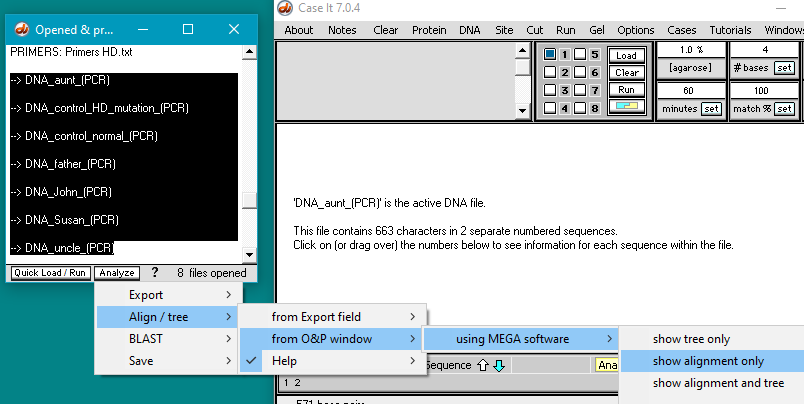
Step 1: Shift-click to select the seven PCR products in Case A, then make the menu selection shown below. This will automatically open MEGA software and align those sequences.
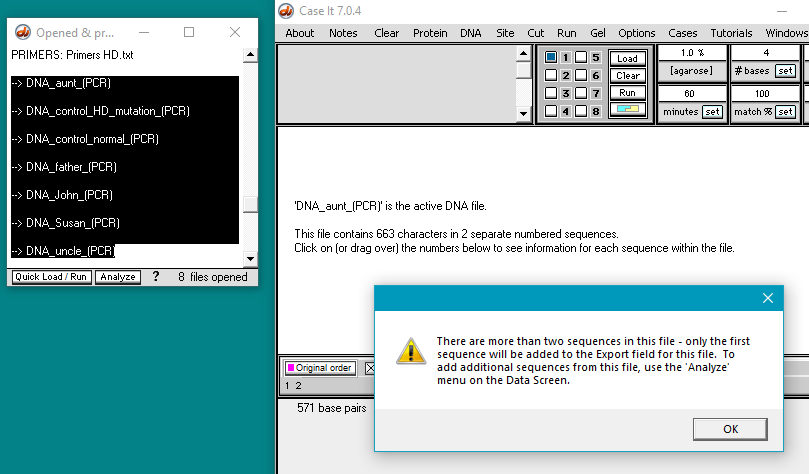
Step 2: An alert box will pop up if there is more than one sequence in a file, as the program will only use the first sequence in the file. Click ‘OK’ each time the box pops up. [Note: The files were set up with the mutated sequence as the first sequence, if more than one is present, so to give the proper alignment after MEGA is run (see below).
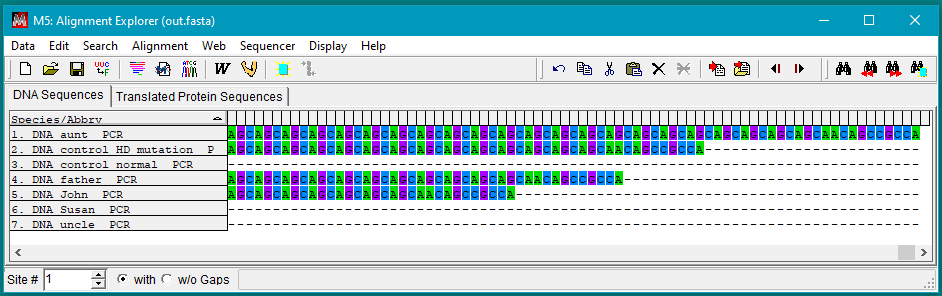
Results: The first figure shows the alignments in MEGA5 at the beginning of the triplet repeat region, showing that Susan and her uncle have fewer repeats than the other individuals:
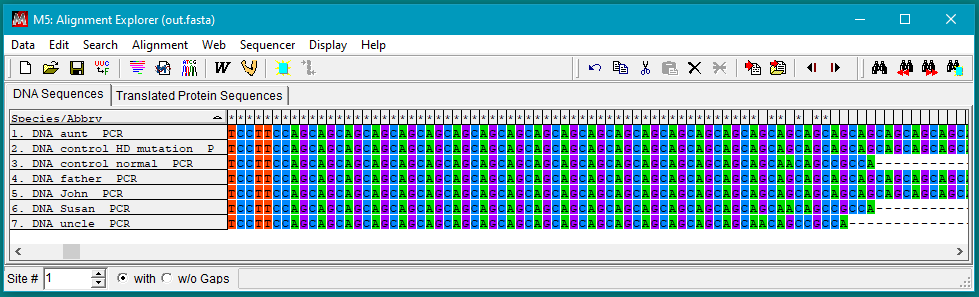
Susan has 18 and the uncle has 17 repeats, which corresponds to a normal genotype which is not associated with Huntington’s disease. “Normally, the CAG segment is repeated 10 to 35 times within the gene. In people with Huntington disease, the CAG segment is repeated 36 to more than 120 times.” (MedlinePlus)
The second figure shows the alignments at the end of the repeat region, illustrating that the Aunt, Father, and John all have different numbers of triplet repeats. All are in the range associated with development of Huntington’s disease.
BLASTing sequences – procedure and results
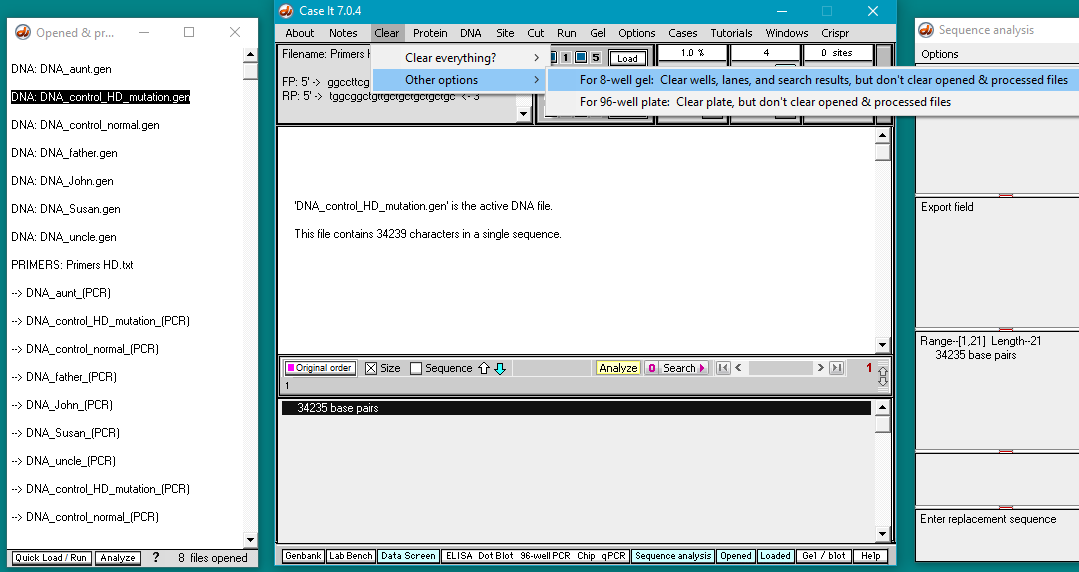
Step 1: The screen below is show as it would appear after running the PCR procedure for sequences from Huntington’s disease Case A. Use the Clear menu to clear loaded wells without clearing the Opened & processed (O&P) window.
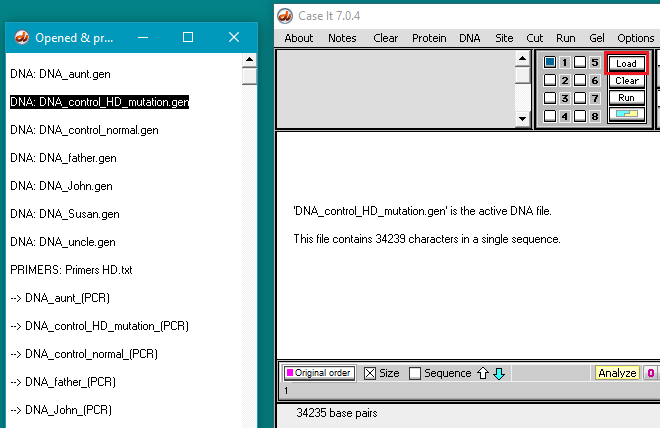
Step 2: Click the line in the O&P window associated with the control for the mutation, then click the Load button to load the sequence into well one. This is necessary because the search procedure only searches sequences that have been loaded into one or more wells.
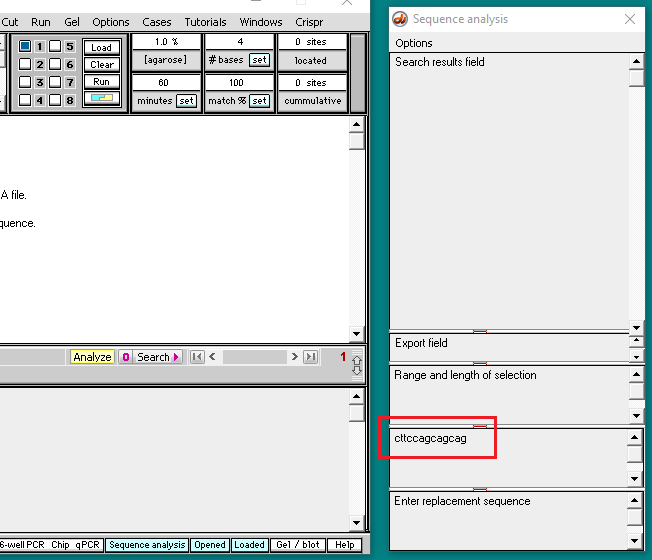
Step 3: Enter the sequence”cttccagcagcag” into the search sequence box as shown below. This sequence is at the beginning of the series of triplet repeats in the Huntington’s gene.
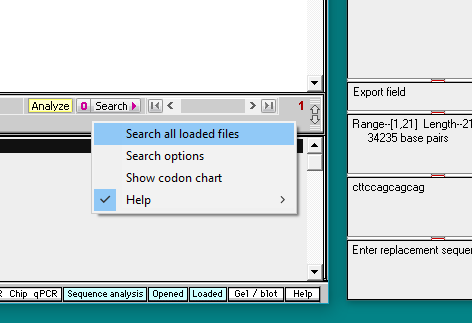
Step 4: Click the Search button on the gray divider bar and select ‘Search all loaded files‘.
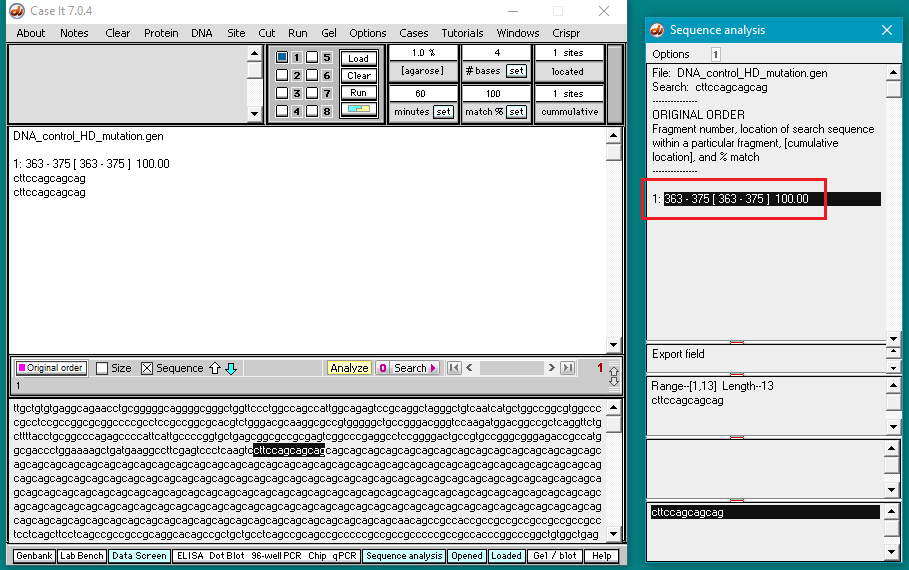
Step 5: Results appear in the top field of the Sequence analysis window, showing the beginning of the Huntington’s triplet repeat sequence. [Since this is towards the beginning of the file sequence, it would not have been necessary to use the search feature to find it. The search procedure was used here to demonstrate the general process of searching].
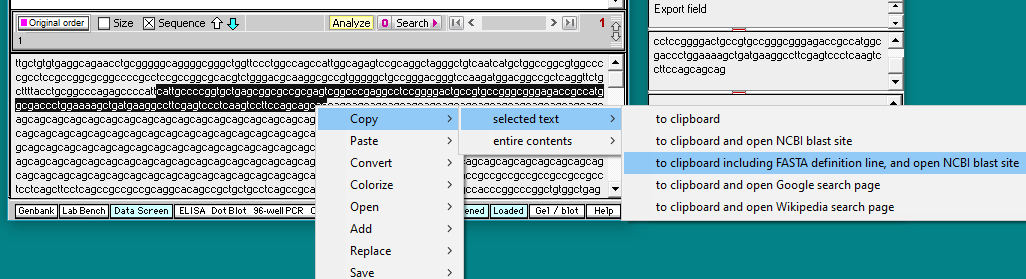
Step 6: Select a larger number of characters, right-click, and select ‘Copy selected text to clipboard including FASTA definition line, and open NCBI BLAST site’ as shown below.
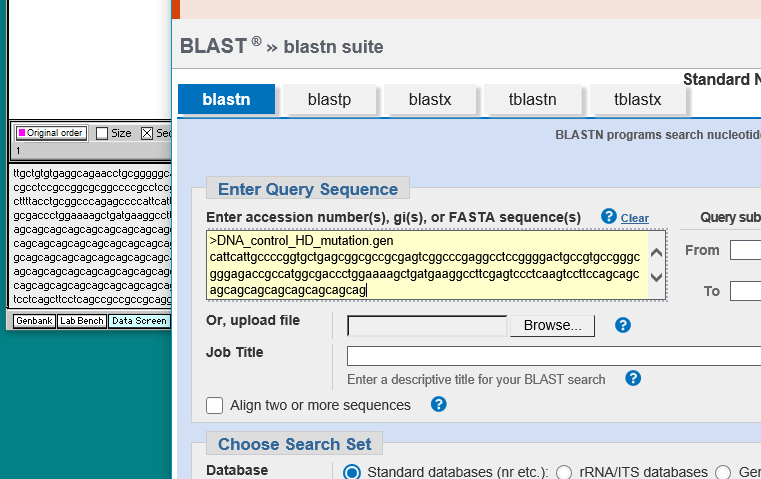
Step 7: Your default web browser will open to the NCBI site. Right-click and paste into the yellow box, then click the BLAST button further down on that page (not shown in the screen shot below).
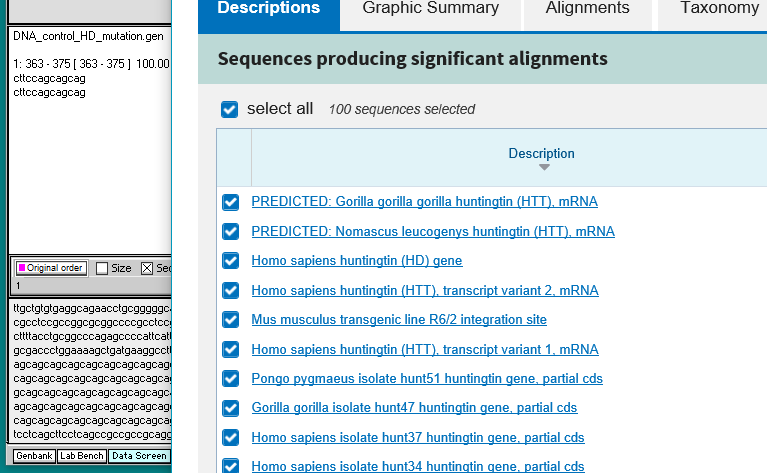
Results appear showing hits on sequences for humans, other primates, and a mouse transgenic line.