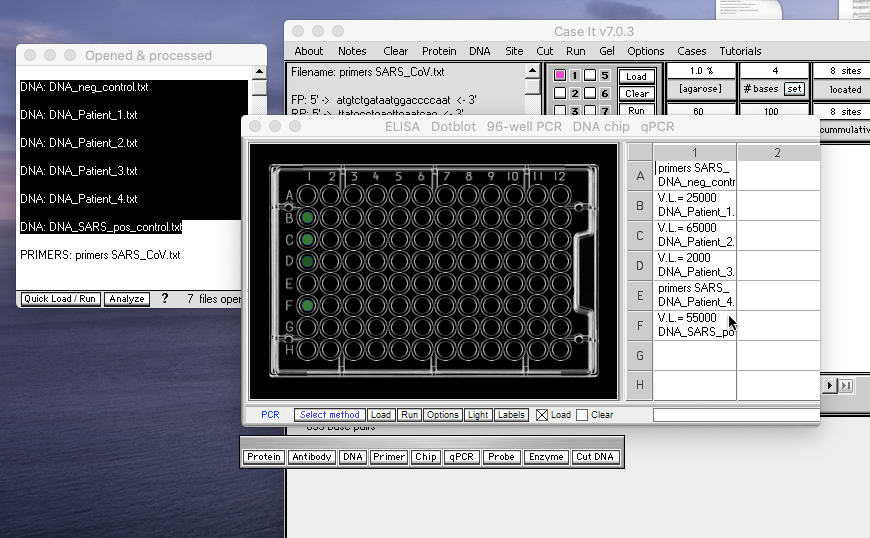
The ’96-well PCR’ feature of Case It is a quick way of visualizing results of quantification of viral load. The standard method in clinical settings is the qPCR procedure, although digital PCR has recently shown promise for use in these settings. The ELISA, Western blot and RT-qPCR tutorial also includes a section on the 96-well PCR feature of Case It v705.
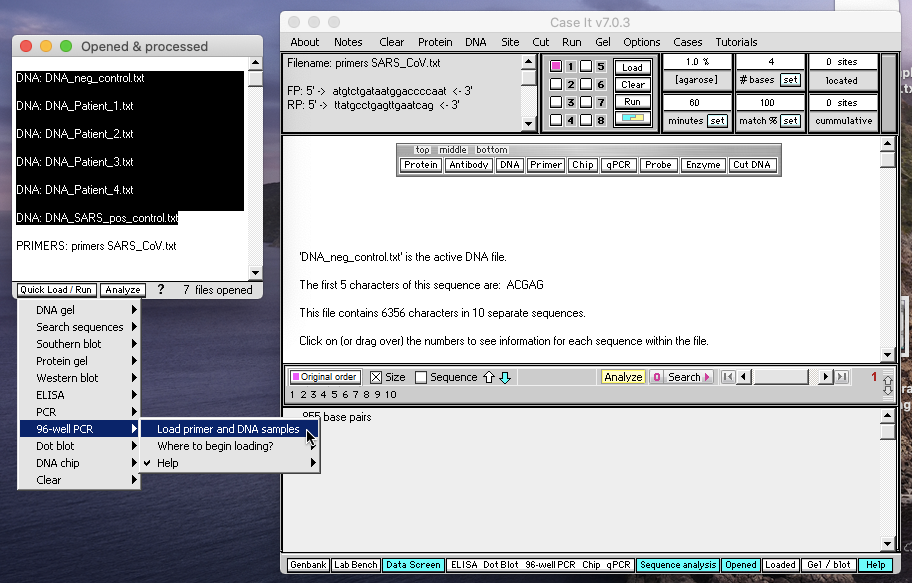
Case A of SARS will be used as an example in the screen shots below. Open the DNA and primer files, click on the primer file, then shift-click to select the DNA files as shown below. Then use the Quick Load / Run button at the bottom of the Opened & Processed window to make the menu selections as shown below.
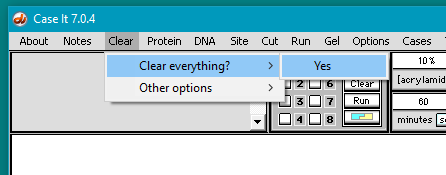
IMPORTANT: Use the Clear everything command before beginning the 96-well procedure. In the screen shots below, the Clear everything command was given before the DNA files and the primers files were opened.
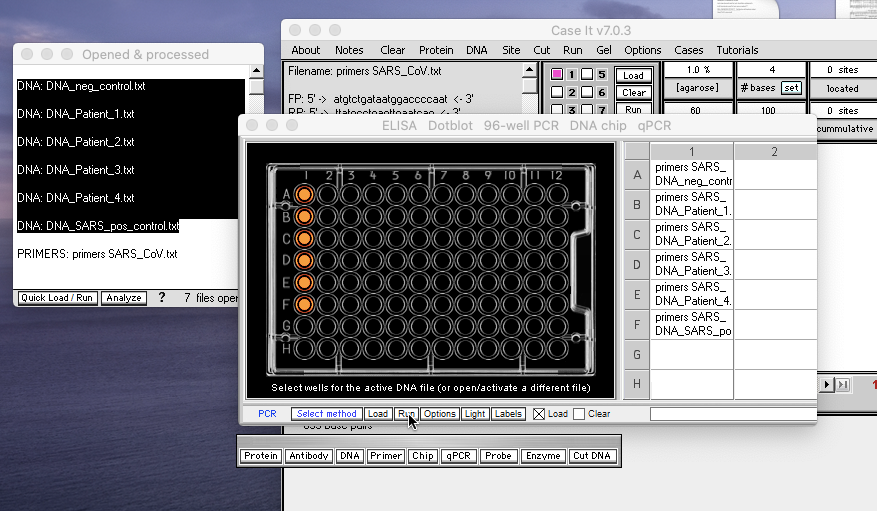
Once the plate is loaded as indicated by the orange wells, click the Run button as shown below…
After reading the results on the plate, use the Options button and make the menu selections as shown below to determine viral load for the various samples…
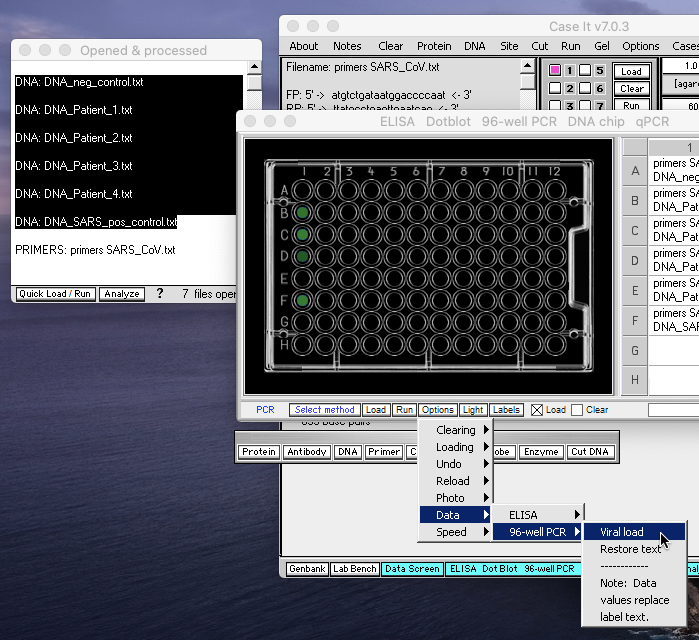
…and the viral load values appear. If desired, use the Options button again to restore the original text.